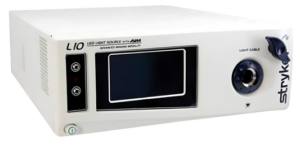



The Stryker L11 LED Light Source is an advanced device designed to provide consistent illumination during surgical procedures, integrating with the 1688 AIM 4K camera system. While specific error codes for the L11 are not publicly detailed, common issues like E1,2,3,4,5,6,22,23,24 can arise from connectivity, compatibility, or hardware malfunctions. Below is a compilation of potential problems and their corresponding solutions:
⚠️ Common Issues and Solutions
1. Light Source Fails to Power On
- Possible Causes:
- Disconnected or faulty power cable.
- Blown internal fuse.
- Overheating or internal hardware failure.
- Solutions:
- Ensure the power cable is securely connected to both the device and a functional power outlet.
- Inspect and, if necessary, replace the device’s fuse.
- Allow the device to cool down if overheating is suspected, then attempt to power it on again.
- If the issue persists, contact Stryker technical support.
2. No Light Emission Despite Device Being On
- Possible Causes:
- Disconnected or damaged light cable.
- Incorrect mode settings (e.g., SPY mode not activated).
- Faulty LED module.
- Solutions:
- Verify that the light cable is properly connected and undamaged.
- Check the device settings to ensure the correct mode is activated.
- If the LED module is suspected to be faulty, contact Stryker for service or replacement.
3. SPY Mode Not Functioning
- Possible Causes:
- Incompatible camera head or console.
- Improper USB connection between the camera console and the light source.
- Missing or incompatible SafeLight cable or scope adapter.
- Solutions:
- Ensure the camera head and console are compatible with SPY mode.
- Use the provided USB 3.0 A-to-B cable to connect the camera console to the light source.
- Confirm that the SafeLight cable and scope adapter are properly connected and compatible.
4. Error Messages on Display
- Possible Causes:
- Software glitches or firmware issues.
- Hardware malfunctions.
- Solutions:
- Restart the device to see if the error resolves.
- Check for firmware updates and apply them if available.
- If errors persist, document the error message and contact Stryker support for further assistance.
🔧 Preventive Maintenance Tips
- Regular Inspections: Periodically check all cables and connectors for signs of wear or damage.
- Proper Storage: Store the device in a clean, dry environment to prevent dust accumulation and moisture exposure.
- Software Updates: Keep the device’s firmware up to date to ensure optimal performance and compatibility.
- Training: Ensure all users are adequately trained in the operation and maintenance of the L11 Light Source.
For detailed guidance and troubleshooting, refer to the official Stryker L11 LED Light Source user manual. If issues persist or for specific error codes, it’s recommended to contact Stryker’s technical support or your local representative.